The Best Free Tools for Generating NFT Art Layers
If you want clean output from any nft art generator, the real work starts before you generate a single image. Layer generation only works when your files are organized like a machine can understand them. That means every trait category gets its own folder, every asset is aligned to the exact same canvas size, and every PNG has proper transparency. Sounds basic. It is. It’s also the difference between a smooth 5,000-piece collection and a week of fixing weird overlaps, floating glasses, and hats that sit three pixels too high.
A simple stack usually looks like this: backgrounds, base characters, mouths, eyes, hair, headwear, accessories. Keep naming dead simple and consistent. Don’t call one file “Blue Cap Final v2.png” and another “hat_07.png.” Pick a system and stick to it. The better your layers are built, the less you need to fight your generation tool later. Free web3 tools can do a lot, but none of them can rescue sloppy source art. If you’re serious about cost-effective NFT minting, this is where the savings actually happen: fewer errors, less cleanup, and a faster path from concept to collection.
Krita is the best free tool if you want serious layer control without paying Adobe tax
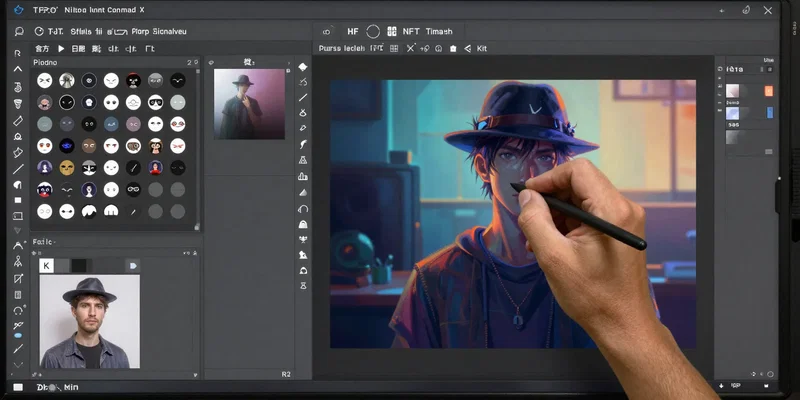
Krita doesn’t get enough credit in NFT circles. People treat it like a painting app, which it is, but it’s also one of the best free tools for building layered character collections. It handles transparent backgrounds well, supports large canvases, and makes it easy to group traits logically. For artists who actually draw their collections instead of assembling them from templates, Krita feels less cramped than most browser tools and less annoying than lightweight editors that fall apart once your file gets complex.
Where Krita shines is production discipline. You can keep each trait on its own layer, use layer groups for categories, and export clean PNG assets without fighting the software. The assistant tools, transform controls, and selection features are strong enough to make repetitive collection work tolerable. Need ten eyewear variants lined up exactly over one base face? Krita can handle that. Need fast color swaps for rarity variants? Also easy. It’s not a generator by itself, so think of it as your art factory, not your mint machine. Build everything here, export transparent layers, then send those assets into a generation tool later. If your priority is professional-looking art on a zero-dollar software budget, Krita deserves to be near the top of the list.
GIMP and Photopea are practical choices when you need fast PNG layer generation, not a learning journey
Not everybody wants to learn a full digital painting environment. Sometimes you already have the artwork, and you just need to prep layers, cut transparent assets, resize trait sets, and export everything cleanly. That’s where GIMP and Photopea are useful. GIMP is free, installed locally, and surprisingly capable once you get past its slightly stubborn interface. Photopea runs in the browser and feels familiar if you’ve ever used Photoshop. For quick trait prep, background removal, batch adjustments, and simple compositing, both get the job done.
Here’s the real difference. GIMP is better when you want a stable desktop workflow and don’t mind configuring things your way. Photopea is better when speed matters more than elegance. If you’re working with a small team, freelancers, or artists who need something they can open instantly without installing anything, Photopea is hard to beat. Both are strong for layer generation because they let you work non-destructively enough to keep assets flexible. Create one master PSD or XCF, duplicate groups, export trait folders, done. They’re not glamorous, but they’re efficient. And in low-budget NFT production, efficient usually beats glamorous.
Inkscape is the sleeper pick for clean trait sets, especially if your collection leans vector instead of painterly
If your collection style is crisp, flat, graphic, or logo-like, Inkscape can save you an absurd amount of time. Raster tools are great for textured art, but vector art is easier to scale, recolor, and tweak across entire trait families. That matters when you suddenly decide every jacket needs three color variants, or when you want to test new accessory combinations without redrawing from scratch. Inkscape is free, mature, and better than many people expect for building collectible-style character systems.
It’s especially good for projects that need consistency over painterly flair. You can build a modular base character, duplicate features, adjust strokes and fills globally, and export PNGs at whatever size your generator needs. That means fewer mismatched edges and cleaner alignment across layers. For profile-picture projects, pixel-perfect consistency matters more than people think. One accessory sitting a little off-center will be painfully obvious once thousands of images are generated. Inkscape helps avoid that because everything snaps and scales with more precision than most free raster tools. If your brand style is sharp and minimal, this may be the smartest tool in your stack.
For actual collection output, HashLips Art Engine is still one of the most useful free web3 tools around
Once your art layers are ready, you need something to combine them into a collection. That’s where HashLips Art Engine still earns its reputation. It’s free, widely used, and built for exactly this job: taking organized layers and generating NFT outputs with metadata. It’s not pretty, and it’s not beginner-perfect. But it works. If you can handle basic setup instructions and edit a config file without panicking, it’s one of the strongest no-cost options for turning trait folders into a real collection.
The big advantage is control. You can define rarity weights, set layer order, prevent bad combinations, and export batches with metadata that fit common NFT workflows. That makes it more useful than lightweight randomizer toys that only spit out images. HashLips is closer to a production tool. The catch is obvious: it’s code-based. So if you want a purely visual workflow, this may feel rough. But for cost-effective NFT minting, rough is fine if the output is solid and the price is zero. Pair a good art tool with HashLips and you have a genuinely workable pipeline: design assets in Krita, GIMP, Photopea, or Inkscape, then generate the collection here.
If you hate code, browser generators can help, but they’re best for testing concepts before full production
There are a bunch of browser-based NFT art generator tools floating around, and some are genuinely useful for early validation. They let you upload trait folders, test combinations, preview rarity distributions, and see whether your concept still looks good after the hundredth random output. That last part matters. A collection can look sharp in a neatly arranged trait board and terrible once random combinations start colliding. Browser tools are great for catching that early.
But I wouldn’t trust every shiny generator for final production just because it’s convenient. Some free tiers are too limited, some watermark exports, and some make metadata handling more awkward than it should be. They’re best used like a sketchpad for collection logic. Test your layer generation, spot problem traits, refine rarity, then move to a more dependable workflow once the project proves itself. If you want a practical stack, not a trendy one, here’s a sensible route: build assets in Krita or Inkscape, clean them in GIMP or Photopea if needed, test combinations in a browser tool, and generate the final collection with HashLips. That setup is cheap, flexible, and much closer to how real creators work when they’re trying to keep costs under control without putting out something sloppy.